
Each program shares a Career Development course in Moodle. Staff are enrolled in these courses and can add cohorts as needed using the instructions below. This method splits the cohorts into "classrooms" which allows you to filter their resume submissions.
1. Navigate to the Career Development course for that program.
2. Click the Participants tab in the top navigation
3. Click the dropdown and select Enrollment Methods
4. From the Add method dropdown, select Cohort Sync.

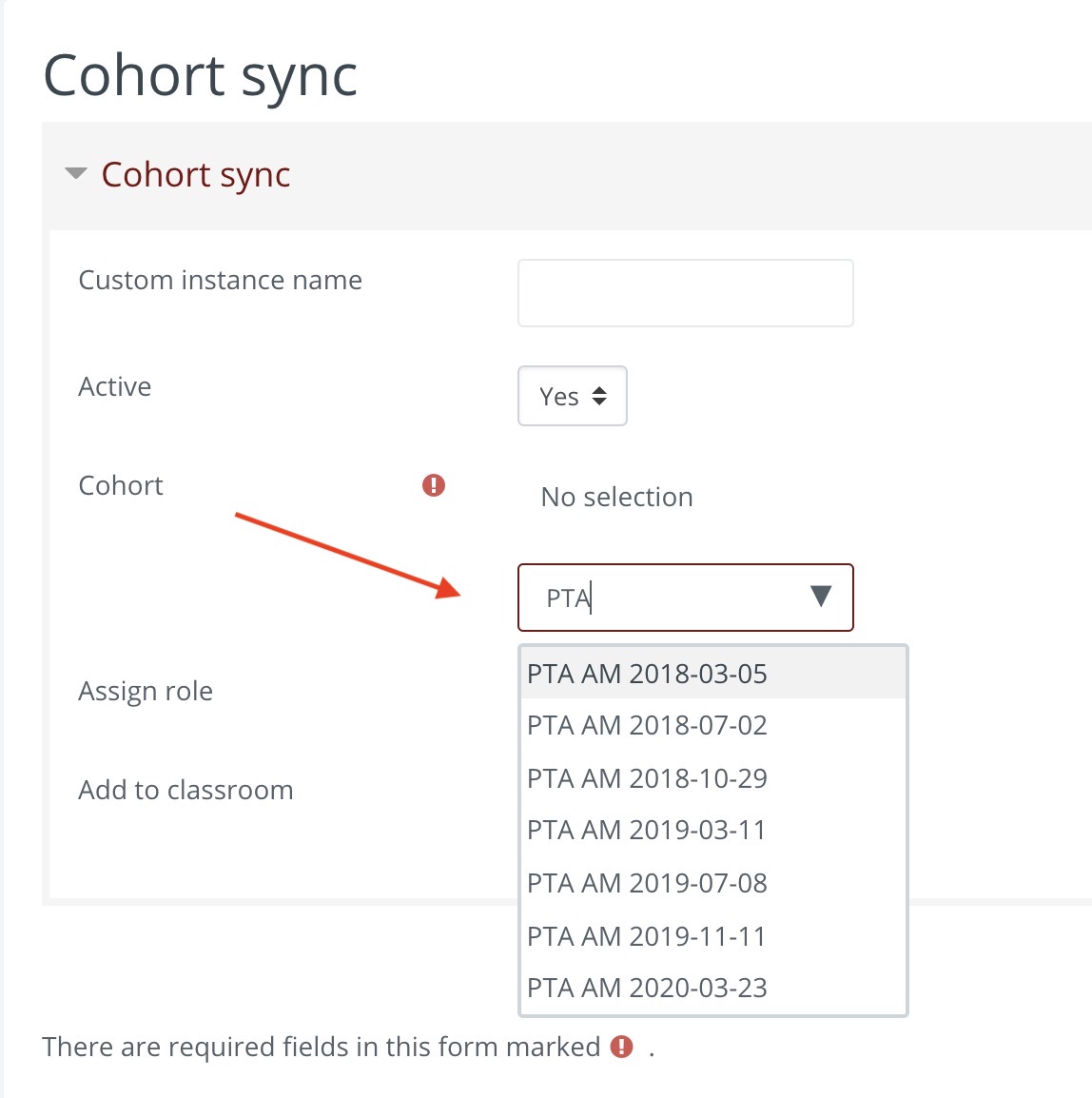
5. In the Cohort Search dropdown type the name of the program to filter and select the cohort to add.
Your selected cohort will appear in green
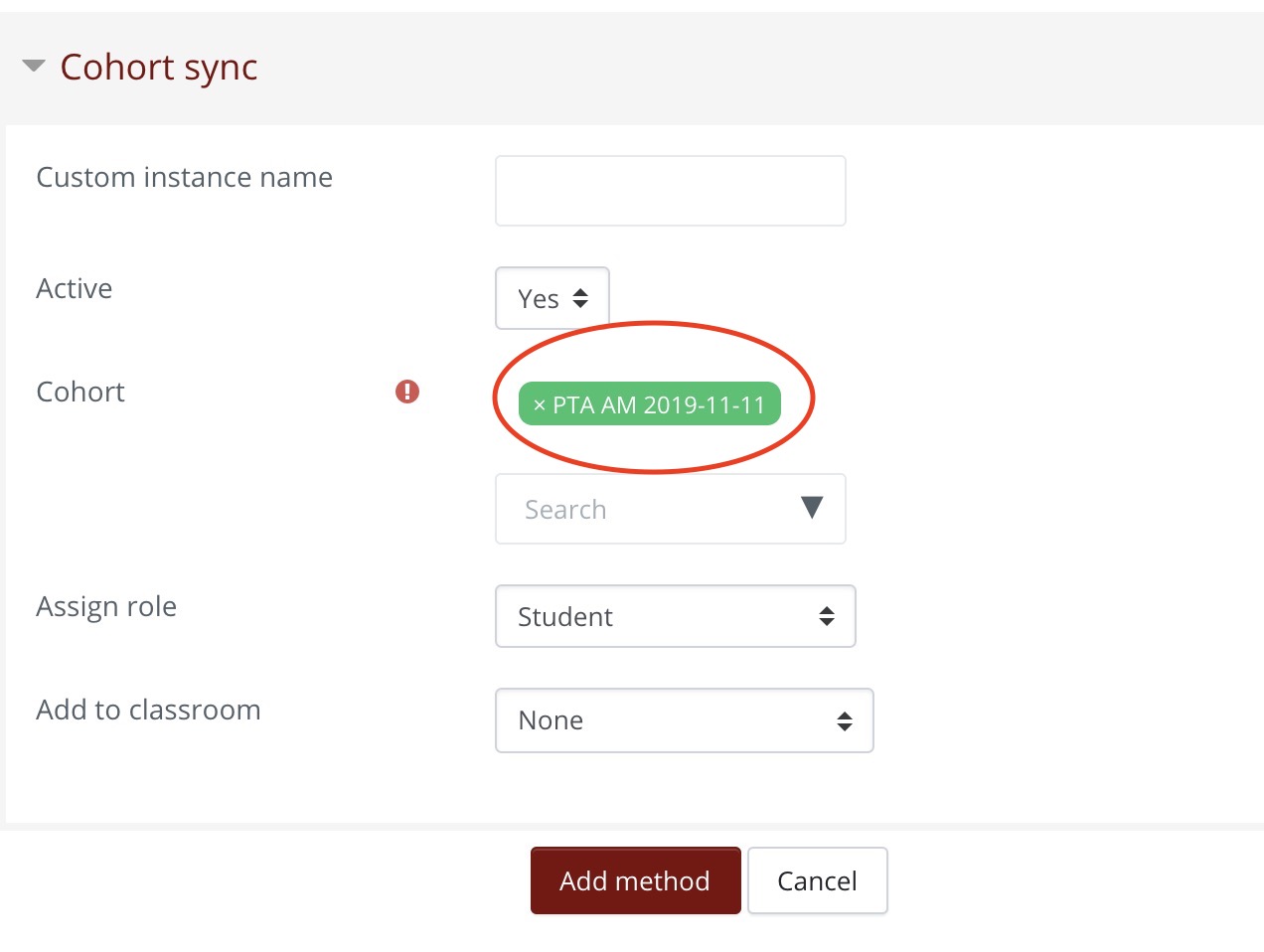
6. In the Custom Instance Name field, type the cohort name as formatted in green. In the Add to Classroom dropdown, select the same cohort from the list.
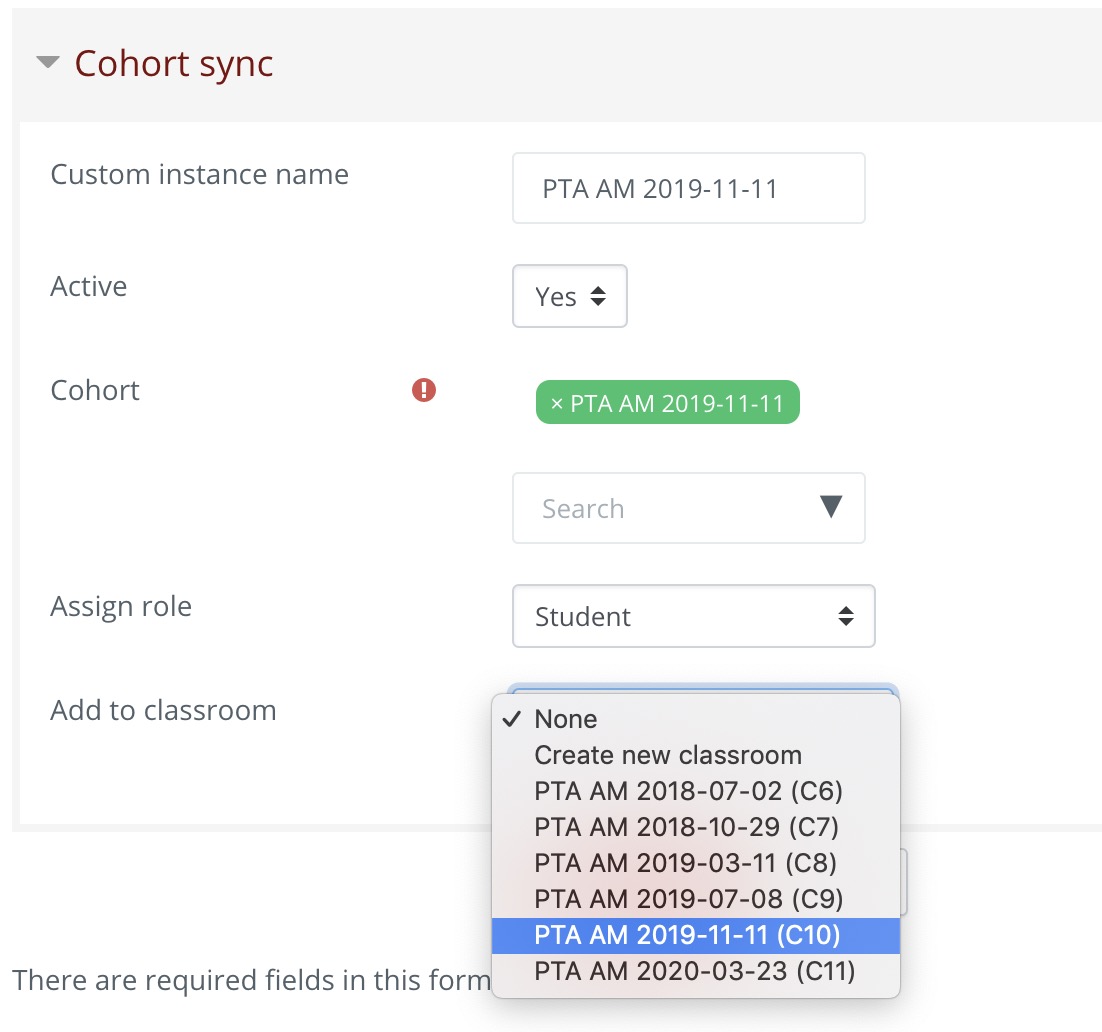
If the cohort does not appear in the list, select Create new classroom.
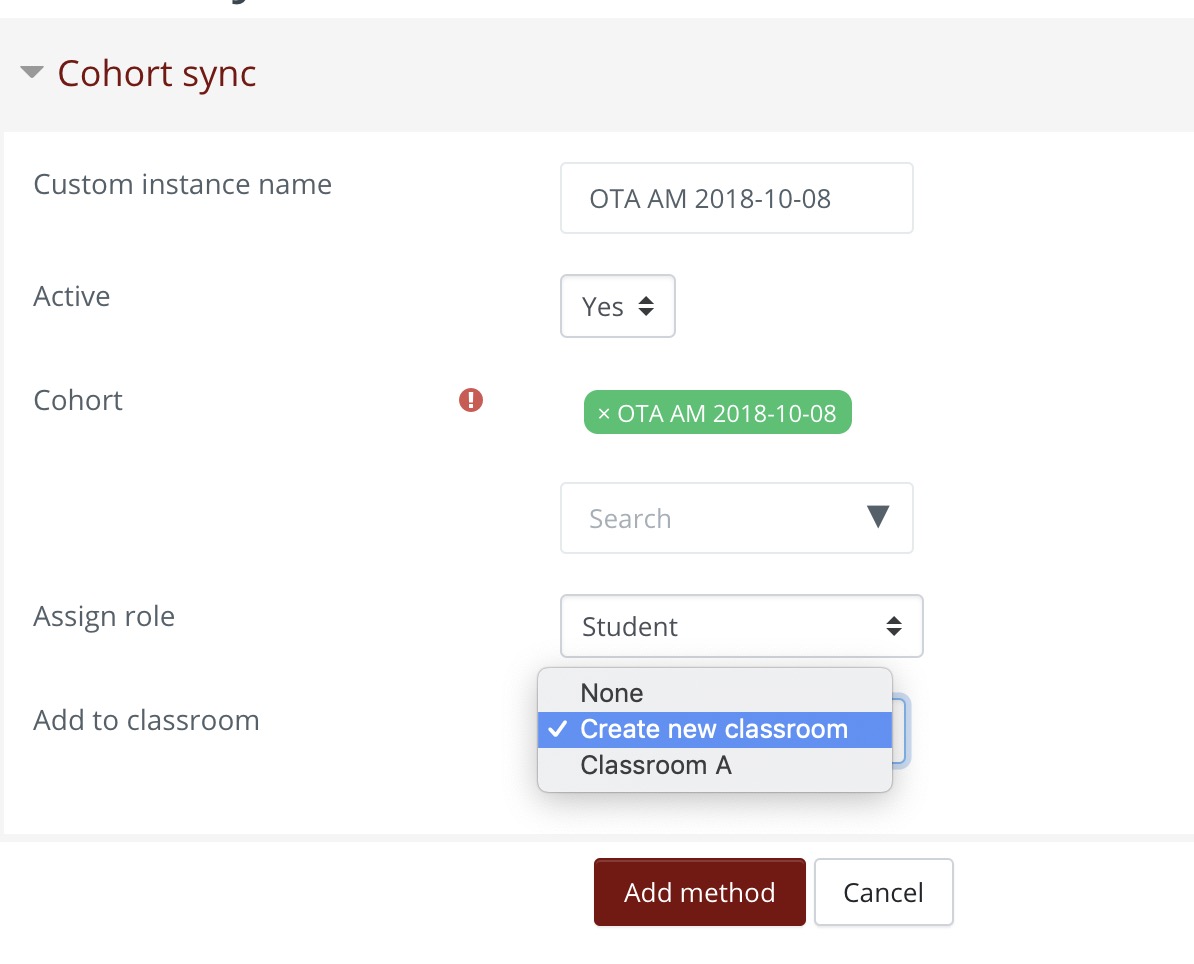
7. Click Add Method
Comments
0 comments
Article is closed for comments.