
For Instructors: The Quiz activity module allows the teacher to design and build quizzes consisting of a large variety of Question types, including multiple choice, true-false, short answer and drag and drop images and text. These questions are kept in the Question bank and can be re-used in different quizzes.
Overview and Quick Start Guide:
Quick Start Guide: https://docs.moodle.org/36/en/Quiz_quick_guide
Quiz FAQ: https://docs.moodle.org/36/en/Quiz_FAQ
More Info
Quiz Settings: https://docs.moodle.org/36en/Quiz_settings
Building Questions: https://docs.moodle.org/36/en/Building_Quiz
Explanation of Question Types: https://docs.moodle.org/37/en/Questions
Best Practices for Quizzes: https://docs.moodle.org/36/en/Effective_quiz_practices
Quiz Reports: https://docs.moodle.org/36/en/Quiz_reports
Adding Questions from a Question Bank
1. Create a quiz and complete the settings page. Scroll to the bottom, click Save and Display, then Edit Quiz
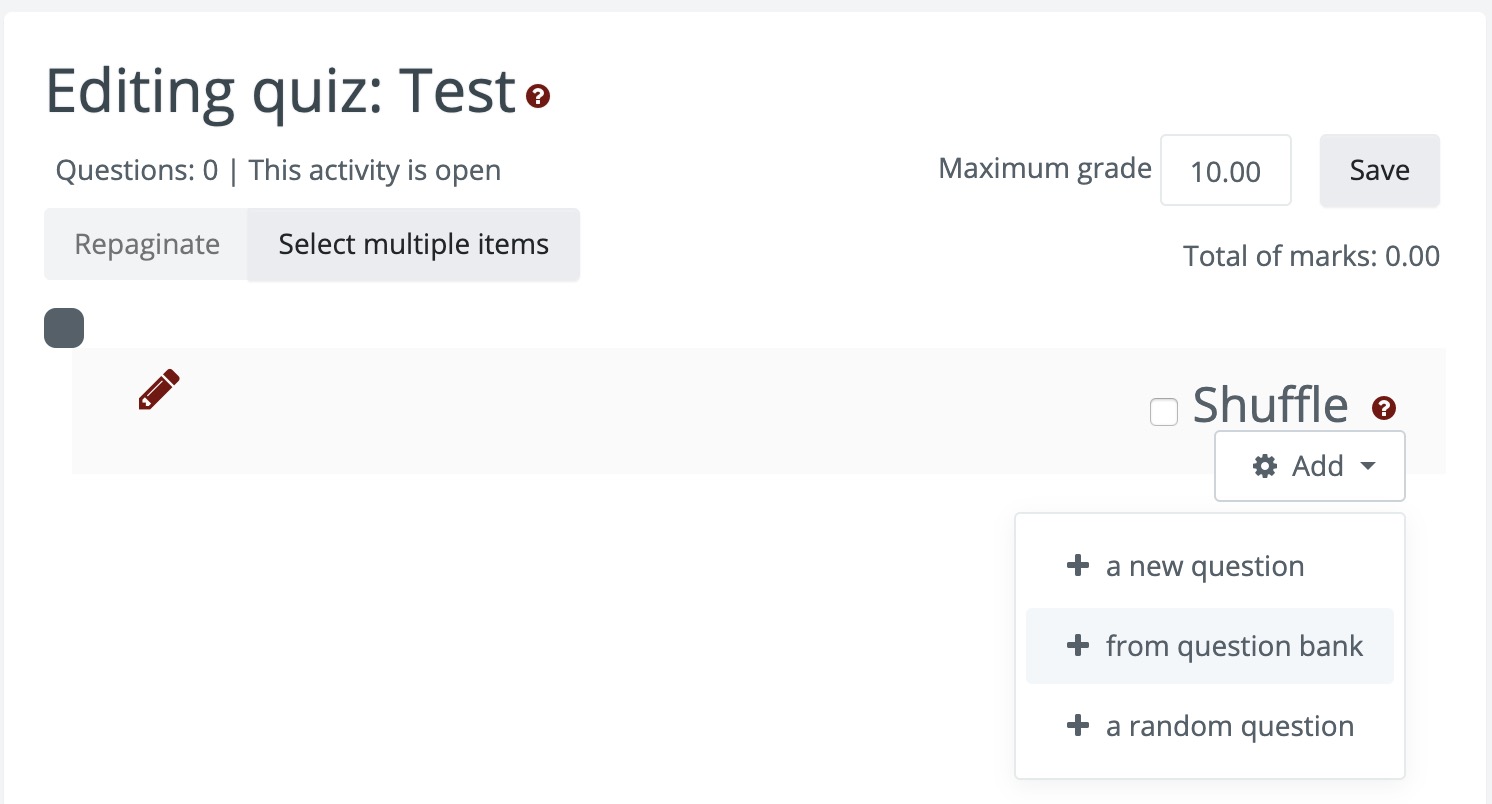
2. Click Add and select From a question bank
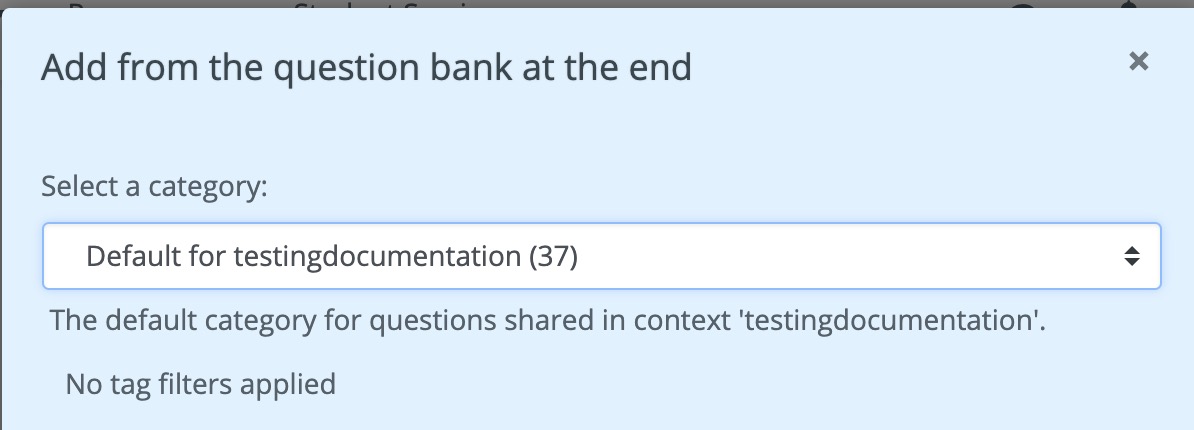
3. Click the Select a Category button and select a bank from the dropdown.
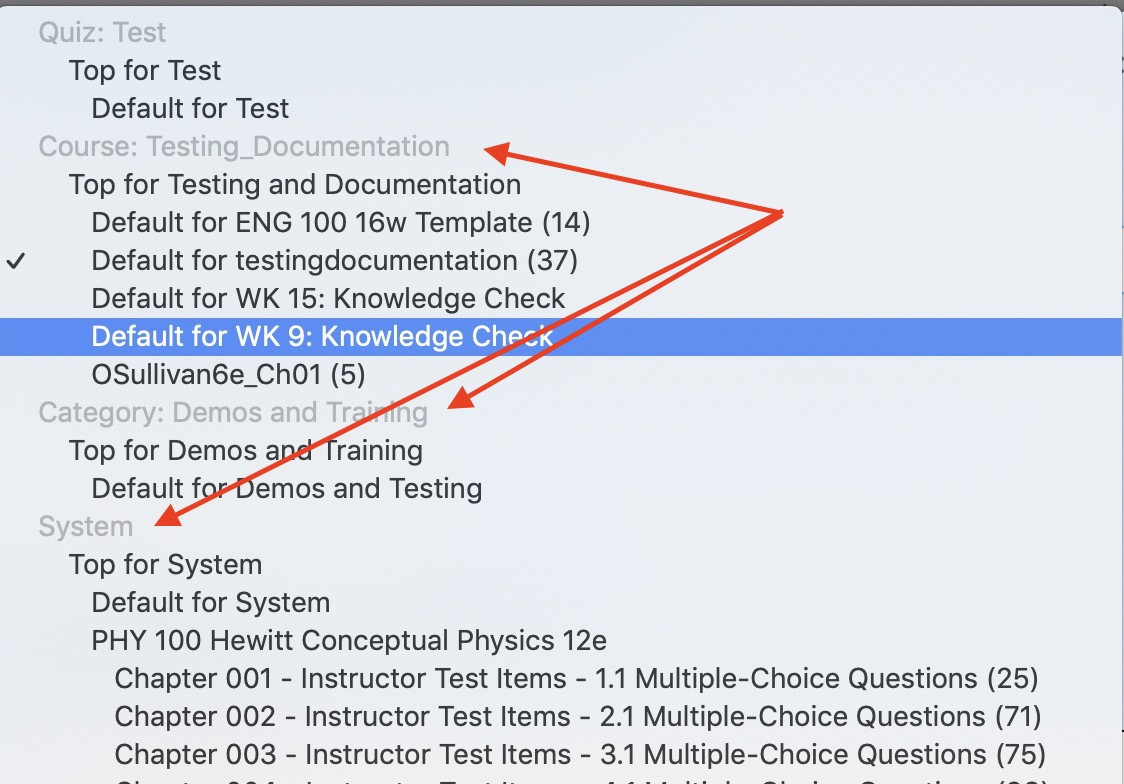
Depending on how the question banks were set up, the bank may be on the Course, Category (Program) or System Level. Questions may be grouped by test name, textbook chapter, or other descriptor.
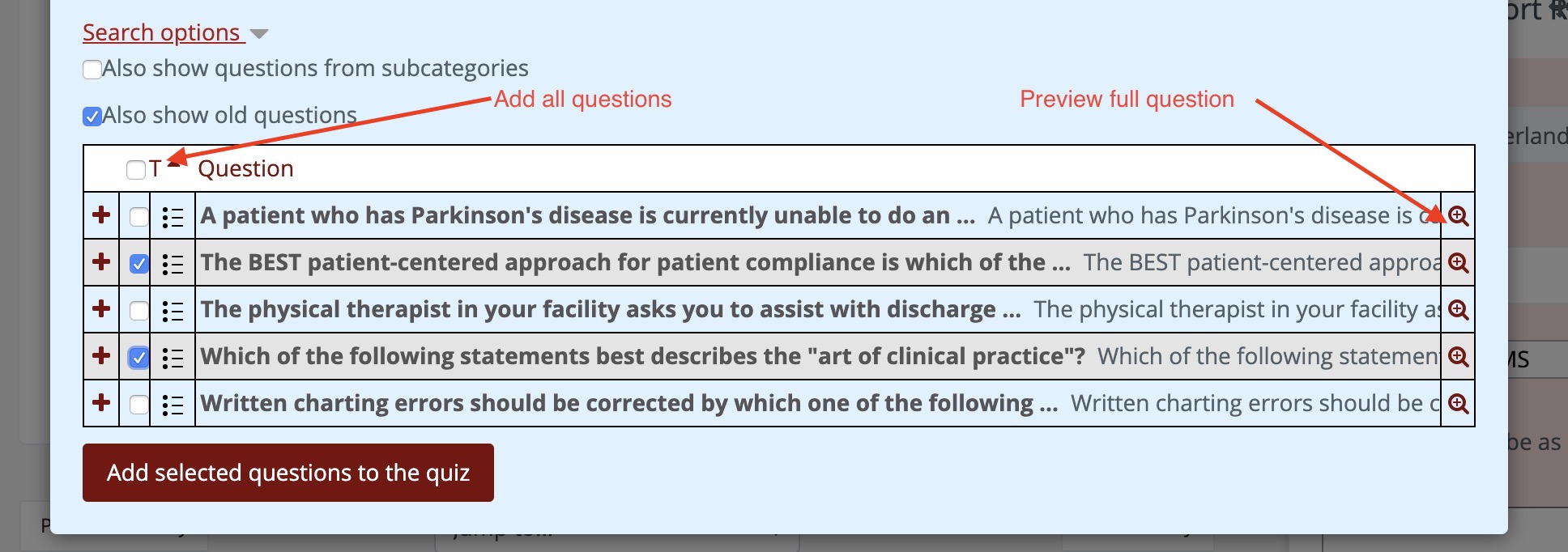
4. Select individual questions, or click the top box top to select all questions. Click the magnifying glass icon to preview full question and answer choices. Click add selected questions to quiz.
5. You can add questions from multiple categories, or mix question banks with questions that you build manually.
Comments
0 comments
Article is closed for comments.