
Ground courses in Moodle take attendance electronically; this process replaces submitting paper attendance sheets. This change does not impact makeup hours- follow the current process for that.
1. At the top of your course, click the Attendance link.
2. Each class session will be listed. Click the triangle to the right to enter the session. The blue triangle indicates that no attendance has been recorded. The green arrow indicates that attendance was recorded; click it to make changes.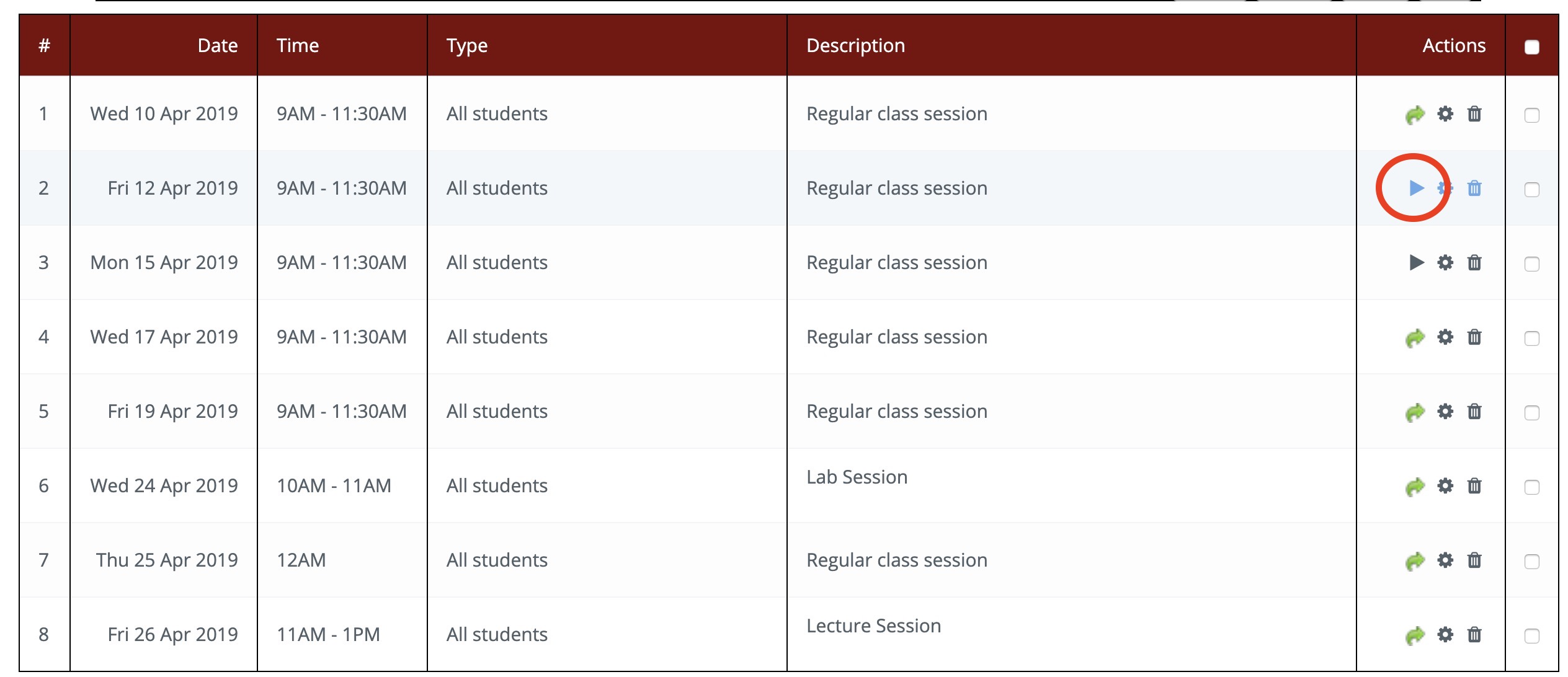
3. Next to each student, mark their status:
L = Late or Left Early
P = Present
A = Absent.
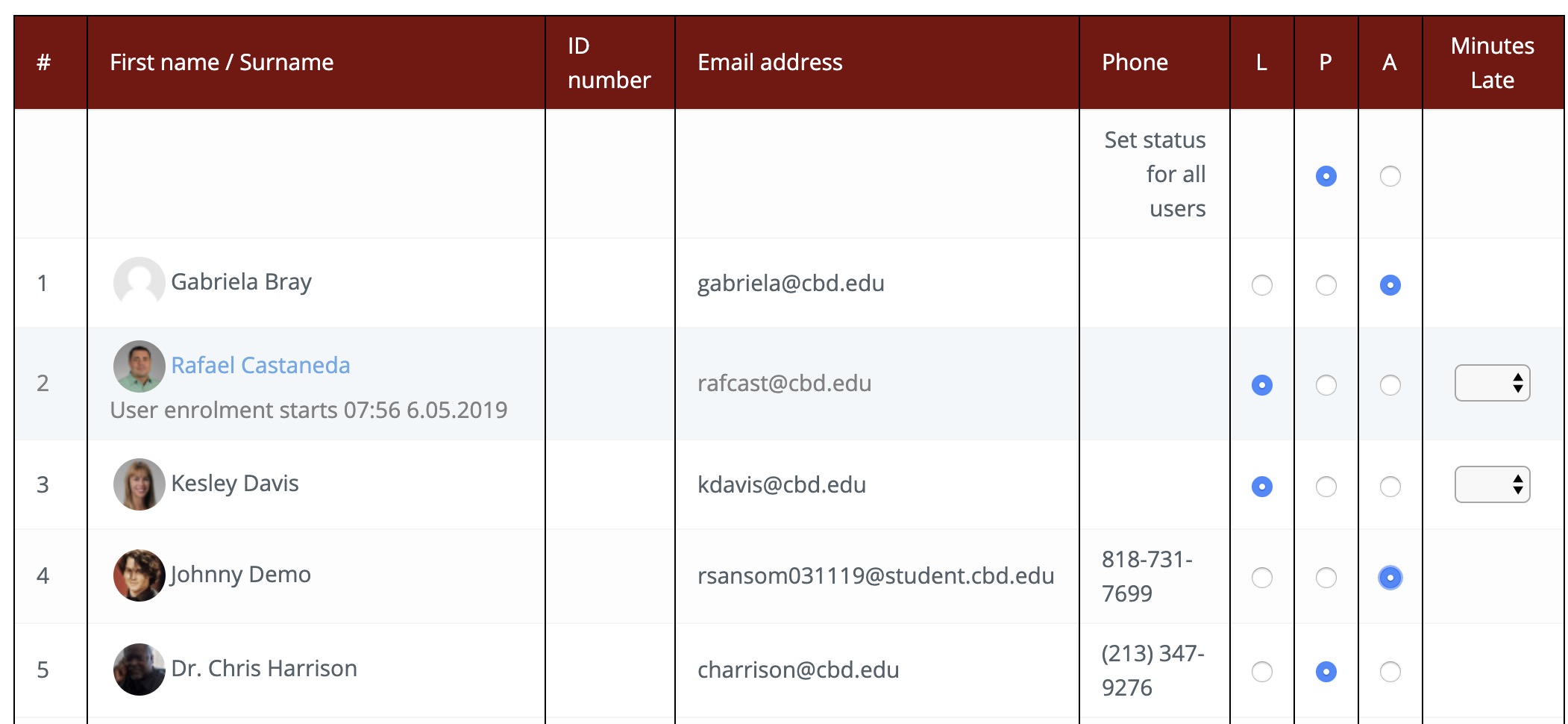
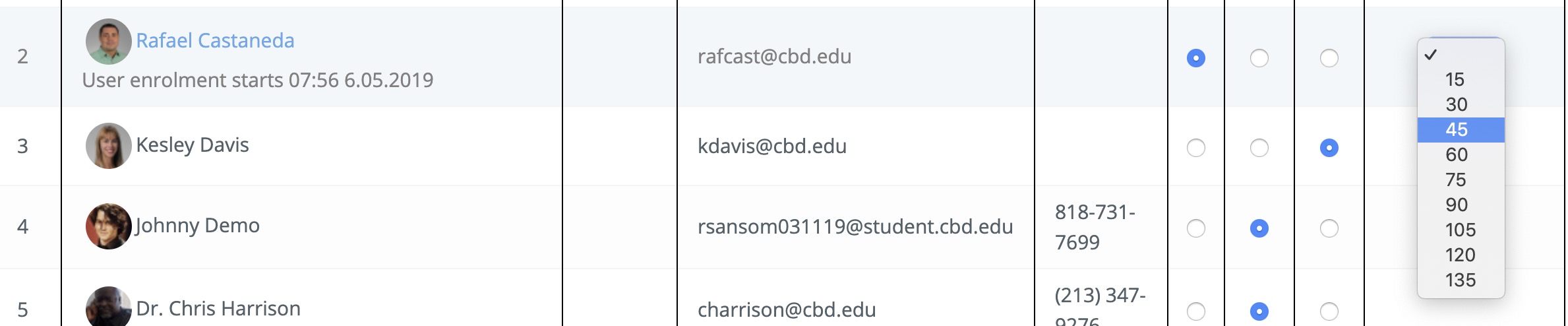
If a student is Late or Left early, use the dropdown to indicate how many minutes.
Shortcut: If all students should be marked the same, click the status in the top row, labeled "Set status for all users."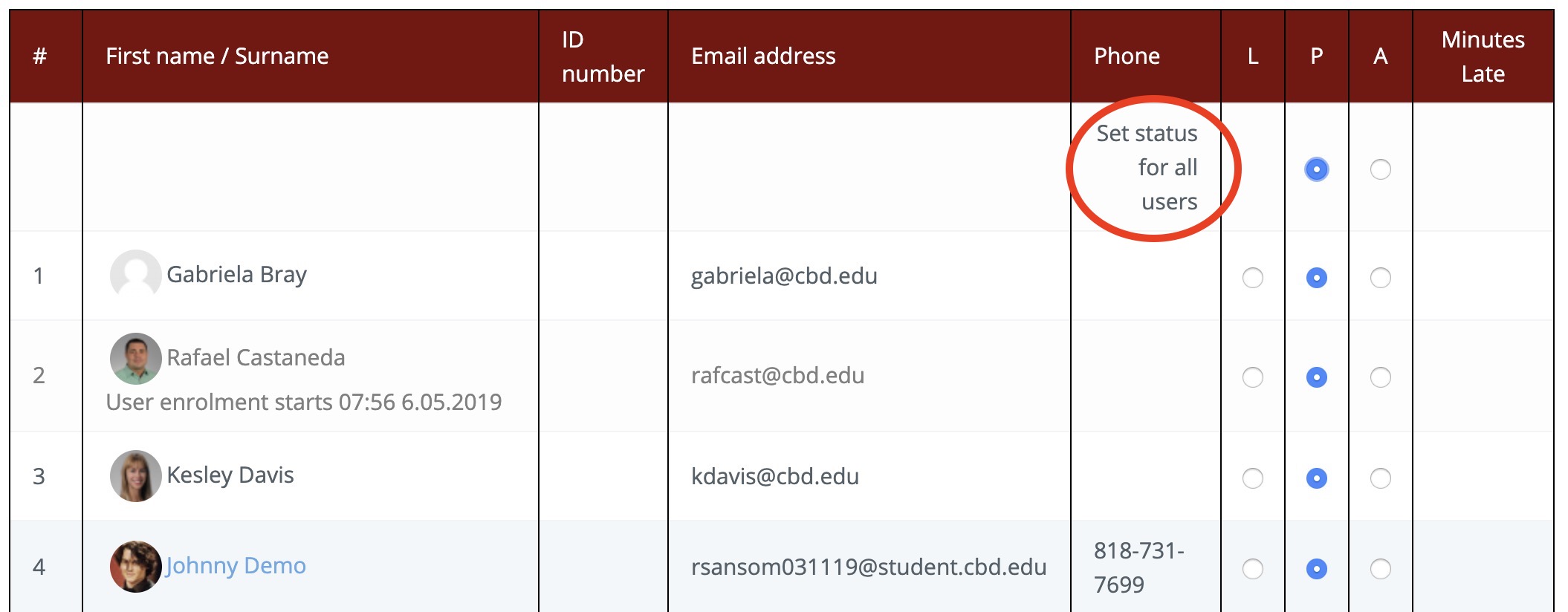
4. Don't forget to scroll to the bottom and click Save Attendance.
Comments
0 comments
Article is closed for comments.