
Moving from Moodle 1? The Basics:
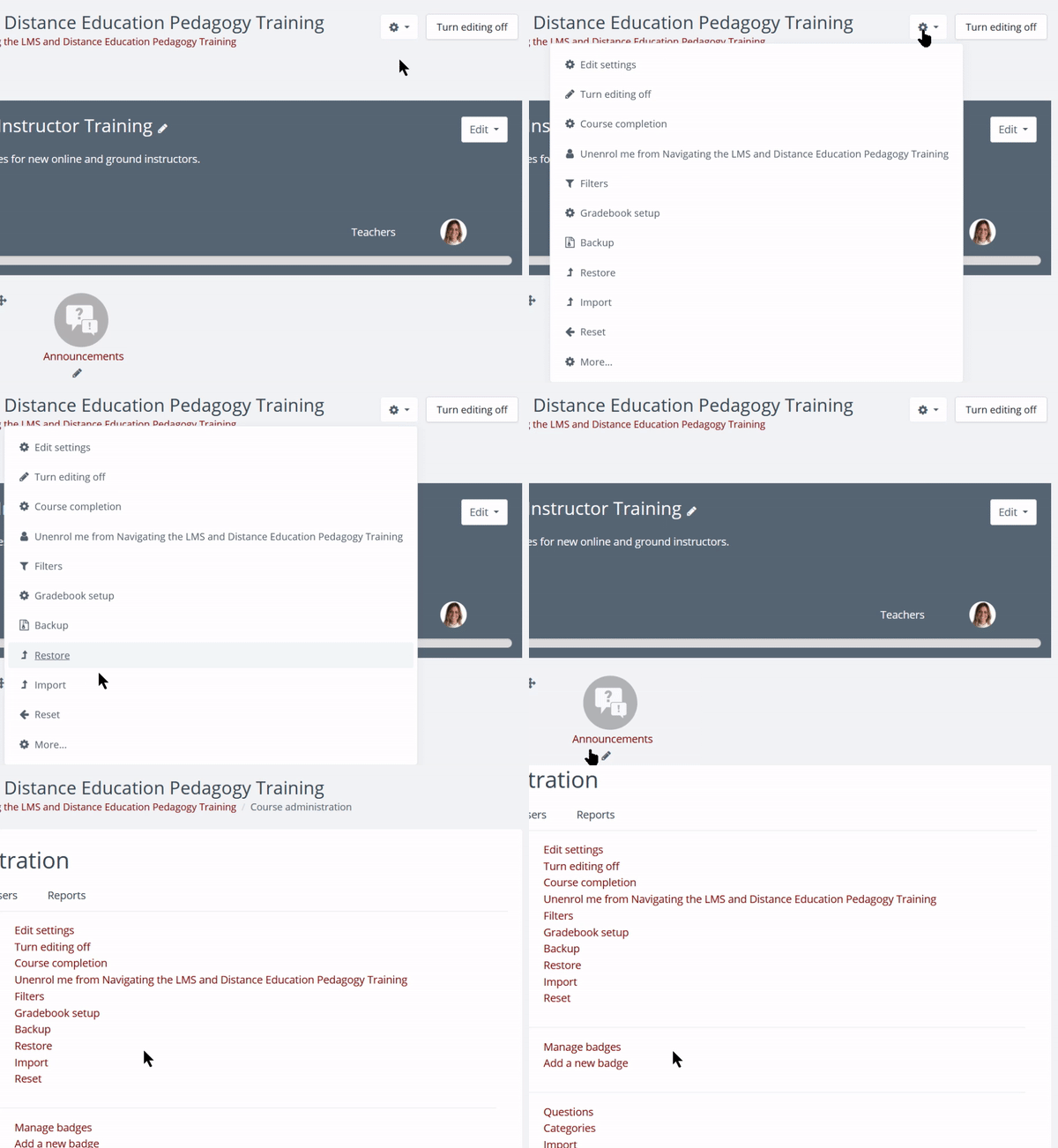
1. Upper Right Gear Icon:
- Turn Editing On
- More = Question Banks, Reports
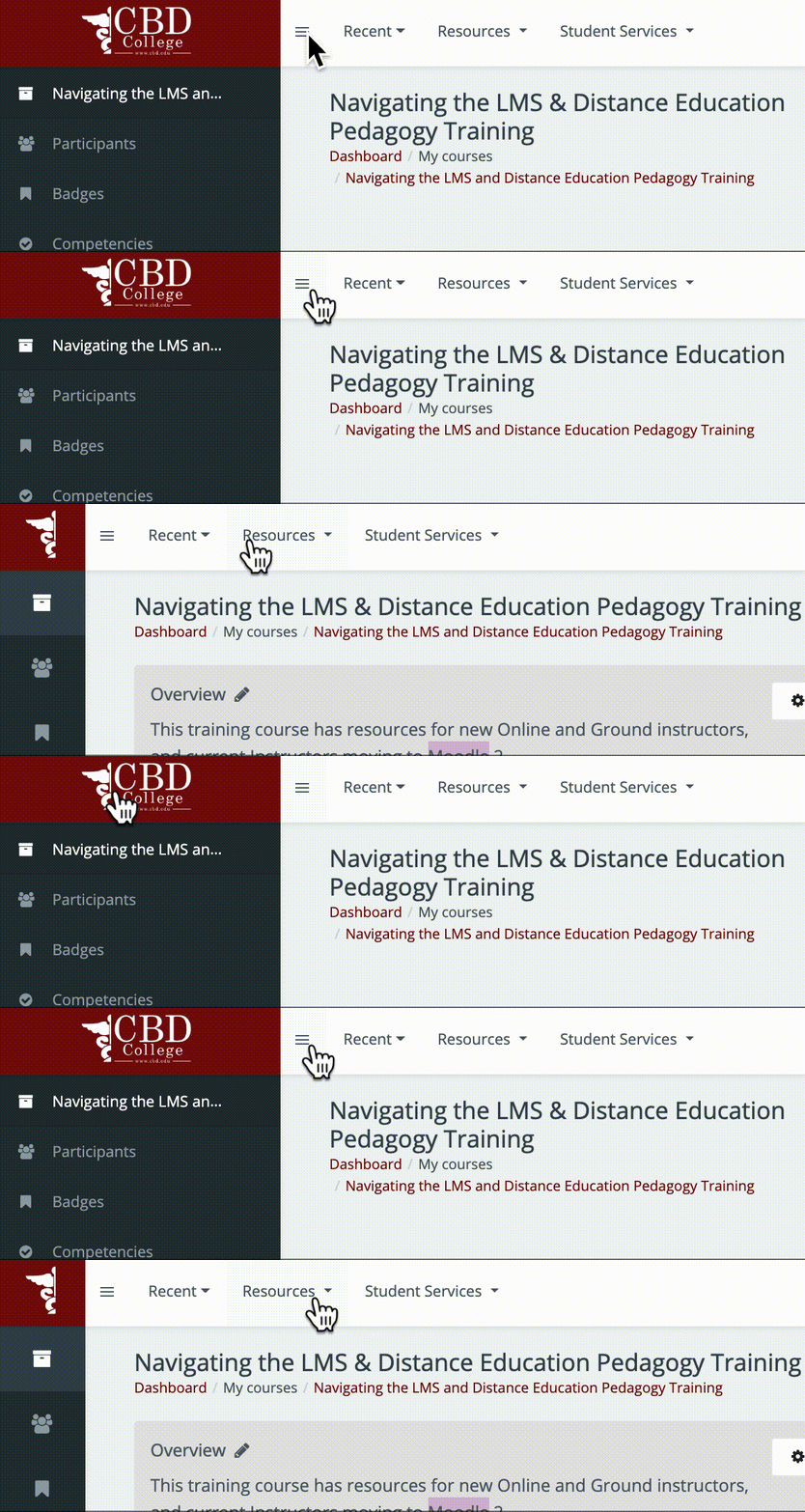
2. Left Navigation
Expand/Collapse using the hamburger icon at the top. (Similar to docking in Moodle 1)
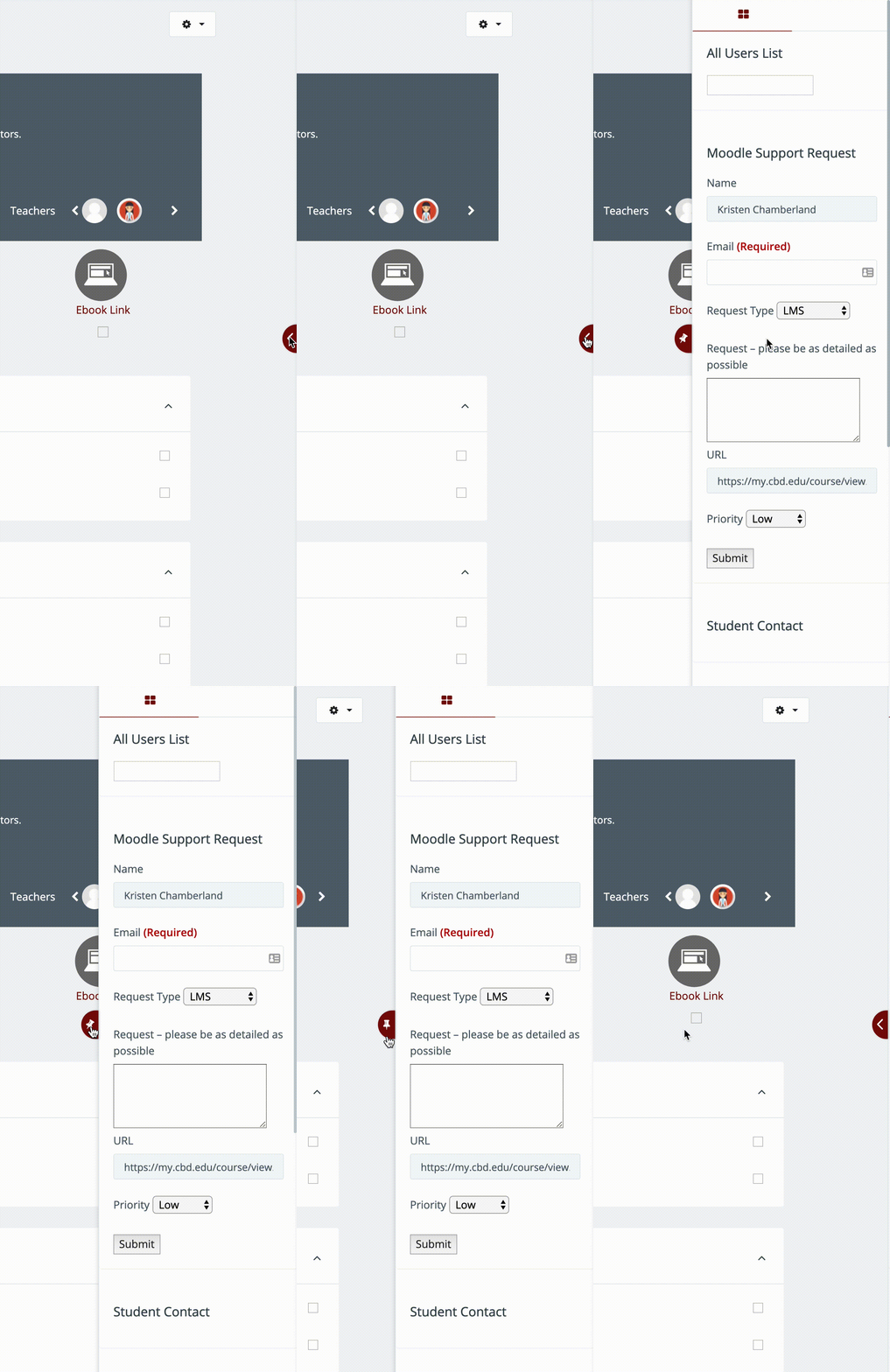
2. Right Navigation:
Expand/Collapse using the red arrow button on the right side. When expanded, click the pin icon to keep it expanded, or click again to collapse.
Dashboard: View and Customize
Written Documentation: https://docs.moodle.org/36/en/Dashboard
More Navigation Info
Comments
0 comments
Article is closed for comments.